Connect your vector store
Phantom Router gives every reply automatic, long-term memory - but the memories live in your own vector store, never on our side. You register the connection once; Phantom encrypts the token at rest and reads from and writes to your index on your behalf. The only supported provider today is Upstash Vector.
This guide walks through connecting an Upstash index from the Phantom Router console. Prefer to automate it? The same connection is available programmatically - see the vector store API reference.
1. Create an Upstash Vector index
In the Upstash console, create a new Vector index:
- Dimensions - set to
1536, to match Phantom's default embedding model (openai/text-embedding-3-small). The dimension is pinned the first time a memory is written, so get this right up front. - Metric -
COSINEis a good default.
Once the index is created, open its details and copy two values:
- the REST URL (looks like
https://your-index.upstash.io), and - a REST token with write access.
Phantom embeds memories with openai/text-embedding-3-small, which produces 1536-dimension
vectors. Your index must match. If you bring your own embedding model when connecting, size the
index to that model's dimensions instead.
2. Connect it in the console
Sign in to app.phantomrouter.ai and open Account → Vector Store. You'll see the connect form:
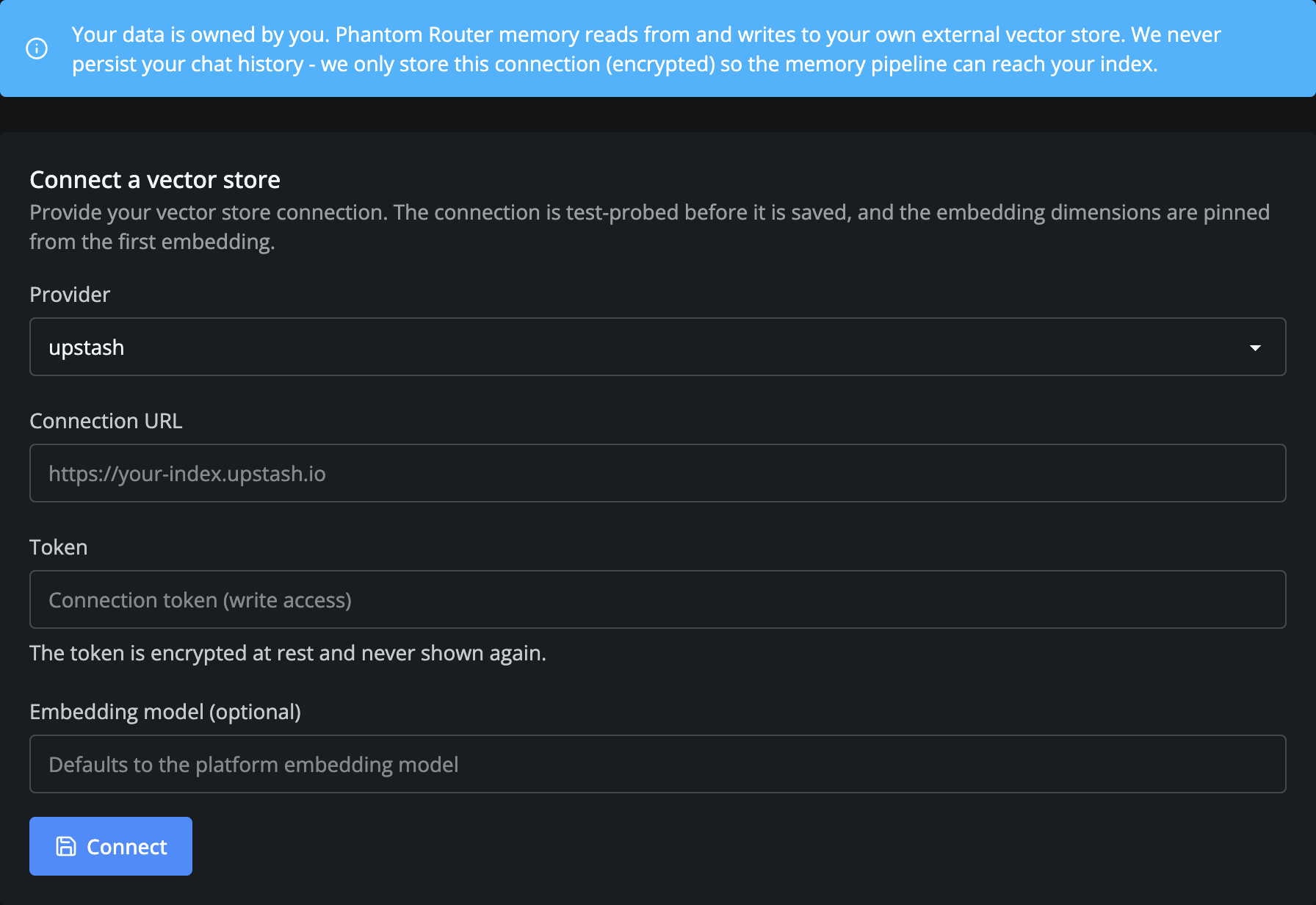
Fill it in:
- Provider -
upstash. - Connection URL - your index's REST URL.
- Token - the REST token. It's encrypted at rest and never shown again.
- Embedding model (optional) - leave blank to use the platform default
(
openai/text-embedding-3-small), or pin your own.
Click Connect. Phantom test-probes the connection before saving and rejects an unreachable or dimension-mismatched index, so a successful save means the index is ready to use.
3. Verify the connection
Once saved, the Current connection card shows the live configuration:
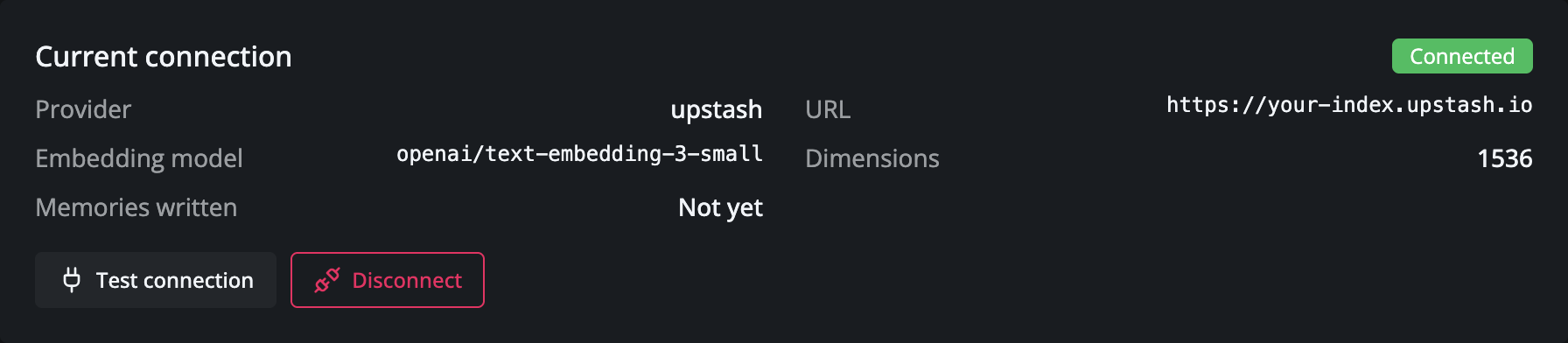
Click Test connection any time to re-probe the saved store without changing it. Memories
written stays Not yet until your first few chat turns trigger extraction - after that it flips
to confirm vectors are landing in your index.
Good to know
- The embedding model and dimensions are pinned once the first memory is written. You can rotate the URL and token afterwards, but changing the embedding shape would orphan existing vectors - create a new index instead.
- Disconnect is non-destructive. Removing the connection only deletes Phantom's stored connection record; the vectors in your Upstash index are left untouched.
- Testing only? You can also paste a connection straight into the Playground to drive chats without wiring it into the console.
Next steps
- Quickstart - send your first chat request now that memory is wired up.
- Vector store API - the programmatic equivalent of this flow.
- Chat endpoint - how retrieval and extraction work on each turn.